One account.
Your whole team.
Give every team member their own login, define reusable roles with specific permissions, and control exactly which folders and features each person can access — all within a single NiftyImages account.
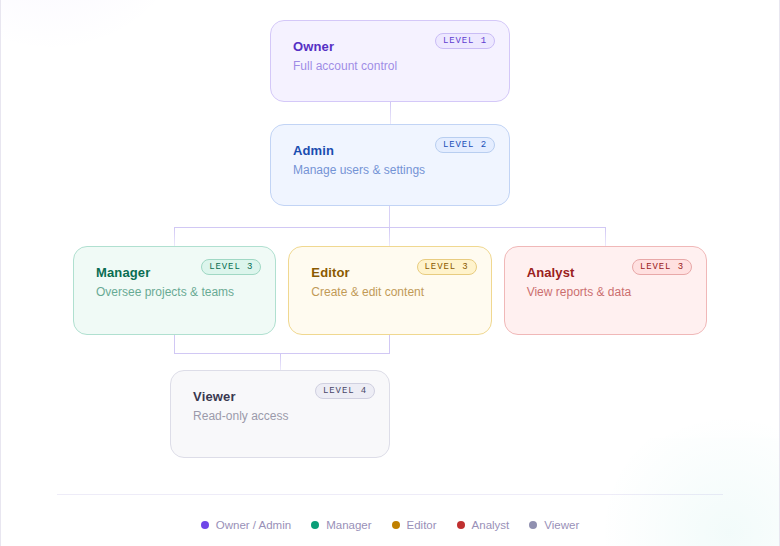
Users, roles, and folders
Agency Access is built on three layers that work together to give you precise control.
Individual logins
Each team member gets their own username, password, and profile — no more sharing a single admin account.
Custom roles
Create named roles with specific permission sets — create, edit, delete images, manage folders, access APIs and Data Sources — then assign them to any user.
Folder-level access
Scope each user or role to specific folders. Keep client work, production assets, and experiments separated and secure.
Build once, assign to many
Roles are reusable permission sets. Create a "Designer" role that can build and edit images but not delete. A "Manager" role with full access. A "Client Viewer" scoped to one folder. Then assign roles to users — permissions stay consistent and easy to update.
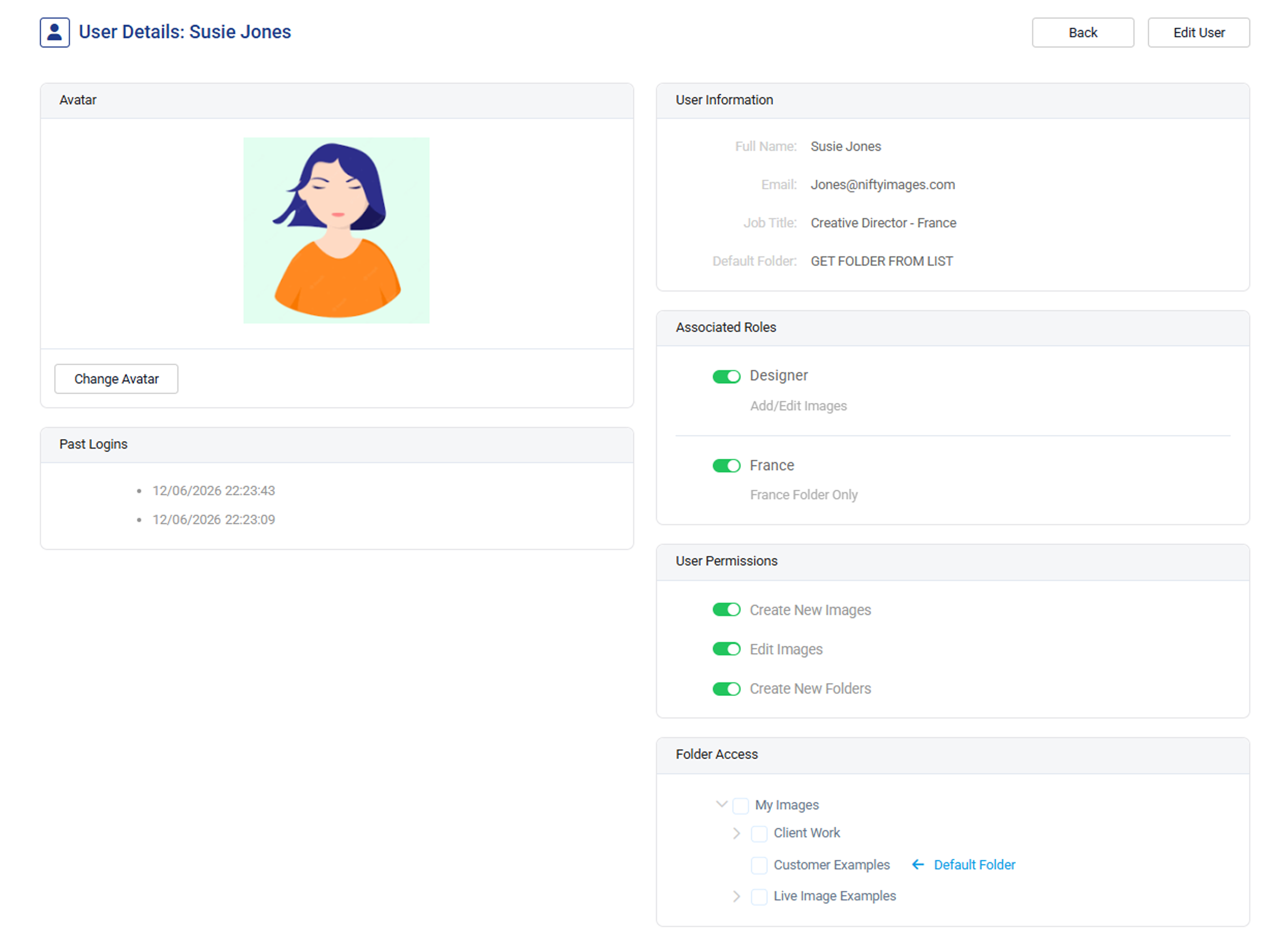
Control every capability
Toggle permissions at the role level or per user. Control who can create images, delete folders, access Web APIs and Data Sources, or manage the account. Combine roles with user-specific overrides for maximum flexibility.
Built for how teams actually work
Separate logins per employee
Stop sharing a single admin password. Give every team member their own credentials and audit trail.
Client-specific folders
Agencies can isolate each client's assets in dedicated folders, visible only to the users who need them.
Production vs experimental
Keep live campaign assets separate from test work. Designers experiment freely without affecting production images.
Technical vs creative users
Give API and Data Source access to technical users while keeping the interface simple for designers and marketers.
Multi-brand organizations
Manage multiple brands or regions in one account with folder-scoped access per team or business unit.
Stakeholder access
Give approvers or external stakeholders view-only access to specific folders without exposing the full account.